The sign-in worked and mosh-server did not start. Almost always a PATH problem — here is how to find the binary and point the host at it.
Available in Term v26.1.0 and later.
Written
What the error is telling you
A mosh connection is two steps. Term signs in over SSH, and over that connection it runs mosh-server on the host; the server prints a port and a key, and only then does the UDP session start.
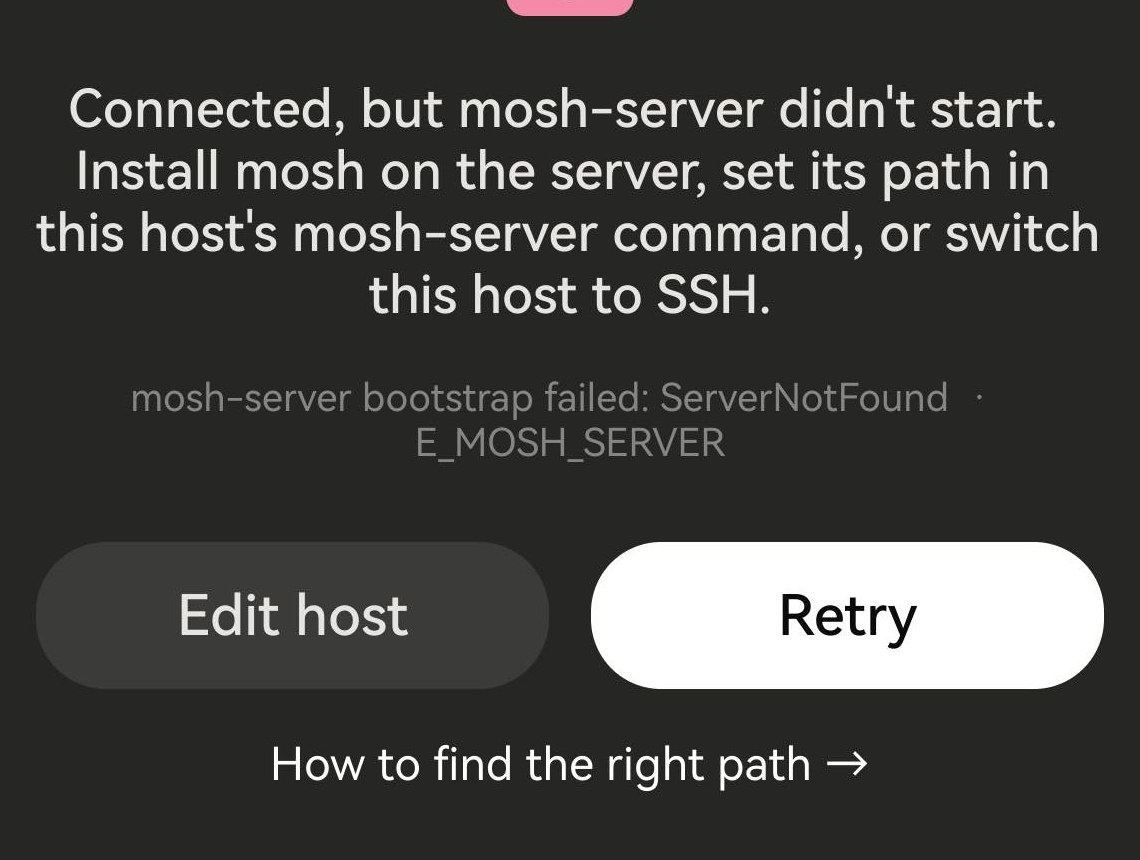
So this error is precise about which step failed: SSH succeeded. The address, the port, the username and your key or password are all correct — the host simply could not run mosh-server. The detail line underneath says the same thing in the app’s own words: ServerNotFound.
The failure, in full — ServerNotFound means the SSH half was fine. Retry will not help until the host can find the binary; Edit host is where the fix goes, and the link at the bottom opens this page.
There are only two reasons for it. Either mosh is not installed on that host — in which case install it and you are done — or it is installed and the host cannot find it. The rest of this page is about the second one, which is by far the more confusing of the two, because mosh works perfectly when you type it yourself.
Why your shell finds it and Term does not
Log into the host and run mosh-server by hand and it runs. So why can’t Term?
Because they are not the same kind of session. When you log in, your shell reads its startup files — .profile, .bashrc, .zshrc — and those are where a package manager adds its directory to PATH. Term does not open a login shell to start mosh; it runs a single command over SSH, the equivalent of ssh you@host mosh-server. That is a non-interactive session, and it gets the PATH sshd hands out, typically just:
the PATH a non-interactive SSH command actually gets
If mosh-server lives anywhere else, it is invisible to that command — while remaining perfectly visible to you.
This also explains why the same setup works for one person and not the next: zsh reads .zshenv even non-interactively, so a PATH set there survives, while bash reads neither .bashrc nor .profile for a non-interactive command. Same host, same install, different shell, different outcome.
Find where it actually is
Two commands from your computer. The first asks the host the same way Term does, and confirms the diagnosis — it should print nothing:
run from your own machine
# what Term sees: no output = the PATH problem this page is about
ssh you@host 'command -v mosh-server'

# what you see: a login shell finds it
ssh you@host 'bash -lc "command -v mosh-server"'
The second command runs through a login shell, which is what you get when you sign in normally. If the first prints nothing and the second prints a path, that path is your answer — copy it exactly.
If both print nothing, mosh is genuinely not installed on that host. Install it with the host’s package manager and nothing else on this page applies.
The usual places
If you would rather just try the likely paths, these are the ones that account for nearly every case. The rule underneath is always the same: a package manager that installs outside /usr/bin puts its directory on PATH from a shell startup file, and a non-interactive command never reads it.
Nix · system (NixOS, nix-darwin)/run/current-system/sw/bin/mosh-server
FreeBSD · ports and pkg/usr/local/bin/mosh-server
Installed into your home~/bin/mosh-server or ~/.local/bin/mosh-server
Debian, Ubuntu, Fedora, Arch/usr/bin/mosh-server — already on PATH, nothing to set
A ~ works here: the host expands it, because the command still runs through a shell on the far end. If you would rather be literal, write the full path — /home/you/bin/mosh-server.
Where the path goes
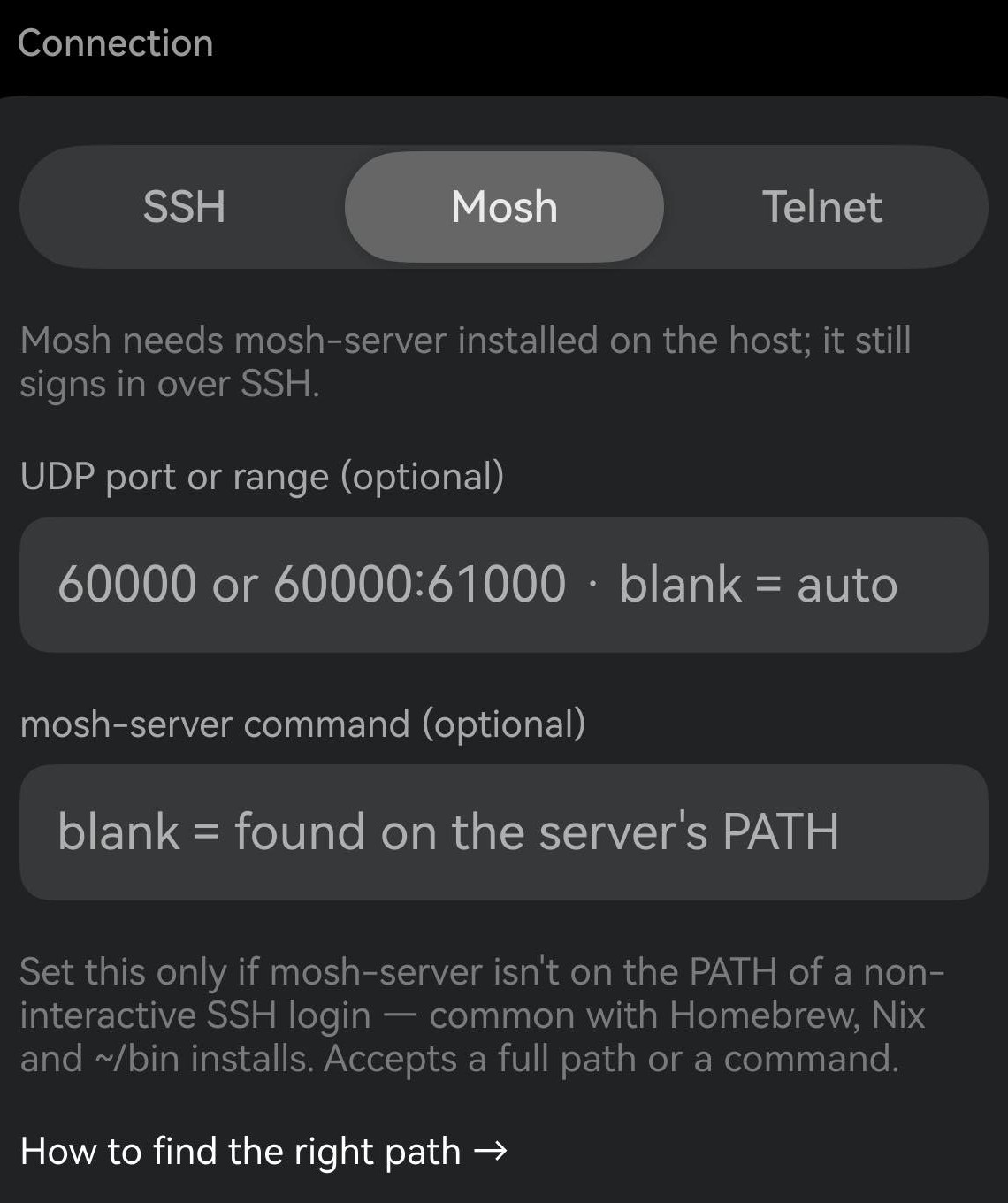
Open the host — Edit host on the failure screen goes straight there — and find Connection. With the transport set to Mosh, under the UDP port field, there is mosh-server command (optional). Leave it blank on every host where mosh installed normally; this is the one place it earns its keep.
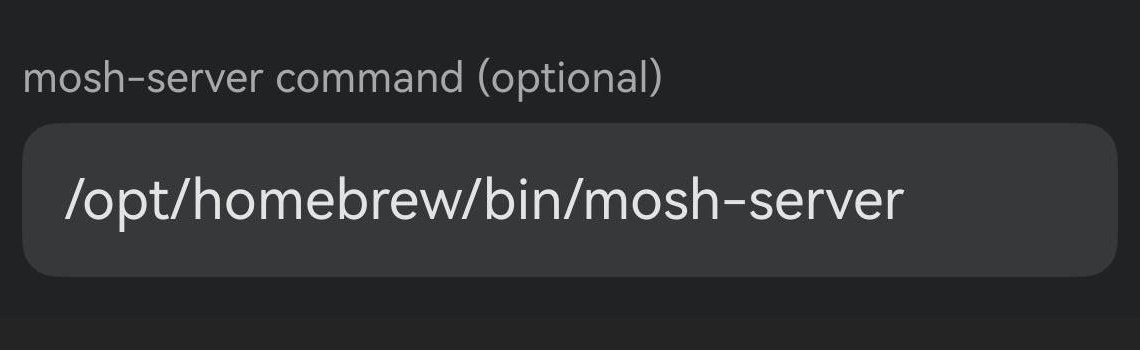
Connection · Mosh — mosh-server command (optional) sits directly under the UDP port range, because both answer the same question: how does this host reach mosh-server?Paste the path exactly as the host printed it. Save, connect, and the session opens the way it always should have.
It is a command, not merely a path, and Term passes it through untouched — the same thing mosh’s own --server option takes. So sudo mosh-server works, and so does a wrapper script of your own that sets something up before exec’ing the real binary.
Worth knowing
It only applies to this host
The field is per-host, like the UDP port range next to it. Ten Homebrew Macs need it ten times — or fix the PATH once on the server side instead, see below.
The other fix is on the server
You can leave the field blank and make the host find the binary itself: symlink it into /usr/local/bin, or set PATH in ~/.zshenv for zsh, or add a PermitUserEnvironment/SetEnv line to sshd. All of those change the machine for every tool that connects to it; the field changes only Term, and only for that one host. Neither is more correct — the field is simply the one you can do from a phone.
Switching the host off mosh clears it
Set the transport back to SSH or Telnet and the command is dropped along with the UDP port, so a stale path cannot quietly come back to life the day you switch the host to mosh again.
It changes nothing about the sign-in
The SSH half was already working — that is what the error told you. This only changes the command that runs afterwards.