A server that asks for a six-digit code after your password. Store the setup key once, and Term answers the prompt for you.
Available in Term v26.1.6 and later.
Answering a code prompt has worked since v26.1.4. What v26.1.6 changes is what happens when it does not work: which failure you are told about, and how few attempts finding out costs.
Written ·Updated
What it does
Some servers do not accept a password on its own: after it they ask for a verification code, the six digits an authenticator app shows. That is a different SSH authentication method from a plain password — the server asks its questions one at a time and waits for answers — which is why a client that only knows how to send a password cannot log into one at all.
Give Term the same setup key you would give an authenticator app, and it answers those questions itself: the password, then the code, generated on the spot.
It works for the host you are opening and for a bastion you jump through. The two are separate logins with separate credentials, so a jump host with its own two-factor is answered with its own key — which is the case that could not connect before v26.1.4.
Setting it up
Open the host — long-press it in the list, choose Edit, and open Advanced options.
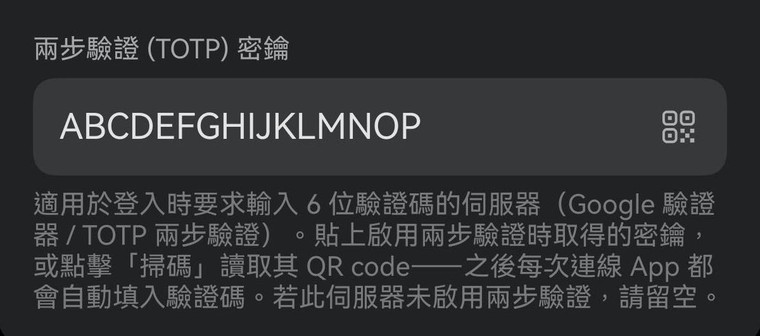
Give it the setup key. Paste the base32 key you were shown when you enabled two-factor on the server, or tap the QR button and scan the same code you would scan with an authenticator app. A link starting otpauth:// is accepted whole — Term takes the key out of it.
Save and connect. Nothing else changes: no prompt appears, and the code is generated and sent while the connection opens.
The field lives under Advanced options. The QR button opens the scanner, so a setup screen can be read straight off another display.
What works
Term generates standard TOTP — RFC 6238, six digits, a new one every 30 seconds. So the question is not which app you use, it is what your server checks the code against. Two were tested against a live server for this page; the third row follows from the standard.
The server checks codes with
Works
pam_google_authenticator
✓ tested
The common Linux setup — the one most "enable 2FA on SSH" guides install.
pam_oath (oath-toolkit)
✓ tested
The oath-toolkit module, a separate implementation. Same key, different wording of the prompt.
privacyIDEA · LinOTP · Authelia
✓ standard TOTP
Anything that validates plain TOTP. Not tested here, but nothing about them is special to us.
Duo
— no
Duo Mobile passcodes are counter-based, and the usual flow is a push notification. Neither is a TOTP code Term could produce.
RSA SecurID
— no
SecurID uses its own algorithm, not RFC 6238.
SMS · email codes
— no
The code is sent to you out of band; nothing in the host entry can generate it.
The authenticator app you already use — Google Authenticator, Authy, 1Password, Aegis, FreeOTP — is not what has to be supported. They all hold the same standard key, and giving that key to Term simply makes it one more holder. Keep the other one. If the phone with Term on it is lost or wiped, the app on it goes with it, and a second holder is how you still get in.
When it does not work
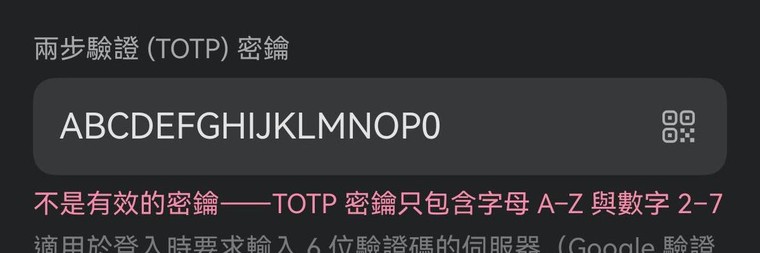
A key is base32: letters A–Z and digits 2–7. The digits 0, 1, 8 and 9 are not in it — which is exactly what gets read off a screen in place of O, I, B and g. Term now says so at the field instead of failing to log in later.
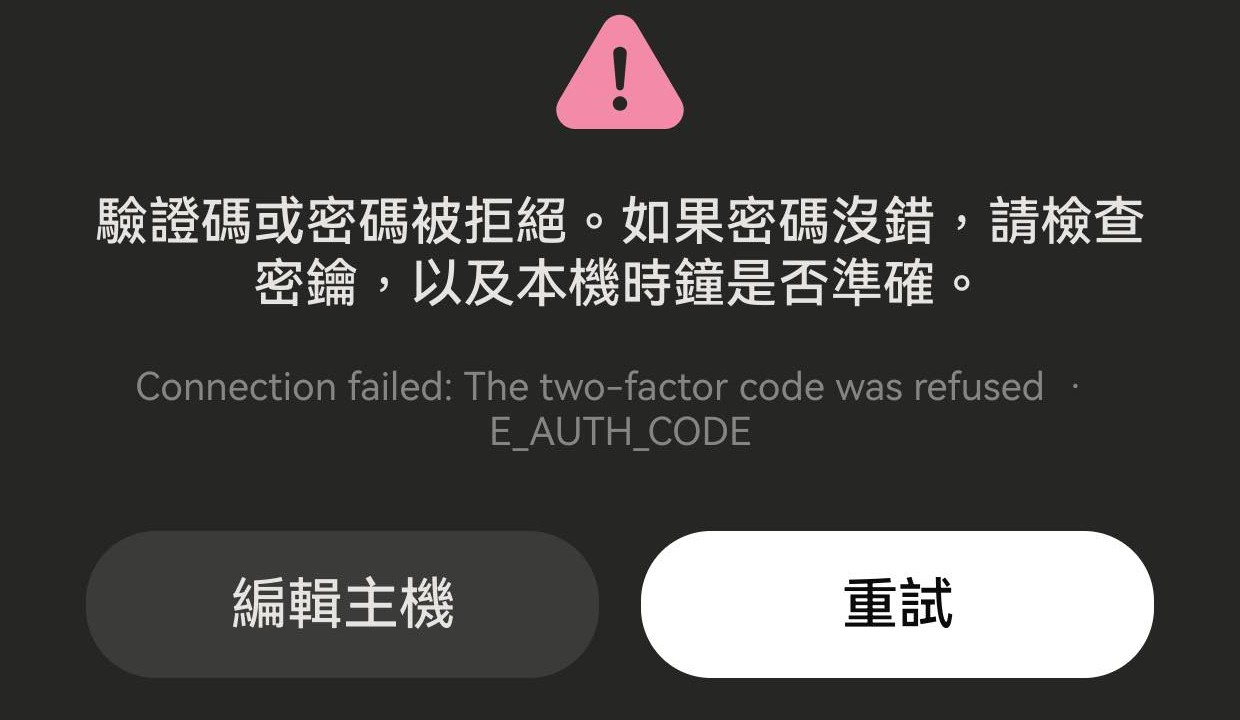
It says the code or the password was refused
That message is narrower than the old one on purpose. The password and the code were the only two answers Term gave, so the username and the key are not suspects — and before v26.1.6 this said "check the username, password, or key", which named all three and the wrong one first.
If the password is right, what is left is the key or the clock. A code is derived from the current time, so a device more than about a minute out produces codes the server will not accept: the same symptom as a wrong key, from a completely different cause.
A code the server would not take. The headline names the two answers Term actually gave, and sends you to the key and the clock rather than to a username that was never in question.
It worked, then suddenly stopped
Most servers rate-limit codes — three attempts in 30 seconds is the common default — and once that trips they refuse a correct code too. Wait half a minute rather than retrying immediately.
From v26.1.6 one tap costs fewer attempts than it used to: Term no longer opens with a method the server has not offered, and no longer sends a guess when it has nothing to answer with. If a server gives up mid-login anyway, you get "the server ended the sign-in before answering" rather than a failure blamed on your password.
The prompt is not the password and not the code
Term reads the whole question now, not only its last line. A server may put the readable words in the request’s title or its instructions and leave the prompt itself as a bare tag — one real example asks Two-Step Vertification… / Please Input Mfa Code / (AliyunOTP):, the server’s own misspelling included. That one is recognised. If yours still is not, tell us the exact wording and it can be.
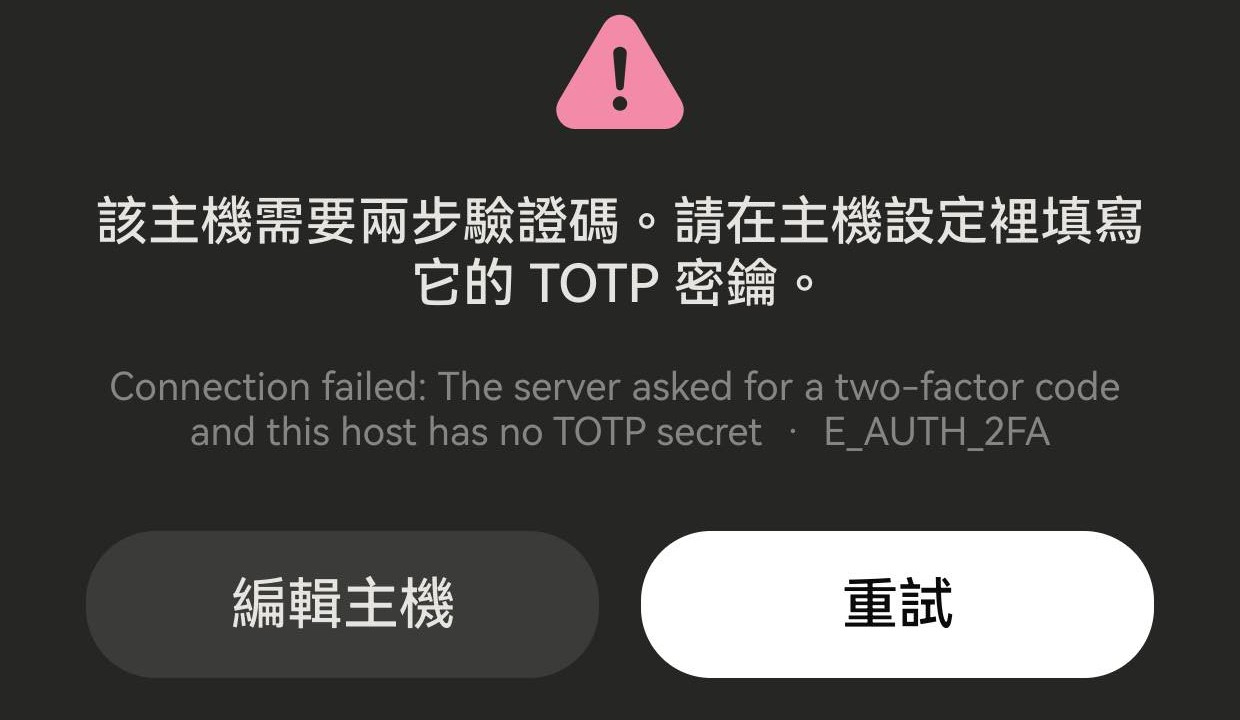
It says this host needs a code
The server asked for one and this host entry has no key, so there was nothing to answer with. Term stops there rather than sending an empty or invented code: a wrong answer counts against the server’s attempt limit, and on a host that rate-limits codes that is how a login gets locked out. Add the key under Advanced options.
If it says the key cannot be read instead, the key is stored but is not valid base32 — paste it again, and see the note above about 0, 1, 8 and 9.
A host that wants a code with no key stored for it. Nothing is sent — not an empty code, not a guess — so the server’s attempt limit is untouched. And Edit host, right there, is where the key goes.
Where the key lives
The setup key is stored with the host entry, in the app’s own database — encrypted at rest, inside the sandbox only Term can read, and it never leaves the device except as the six digits it produces. It is not a file that can be copied off, and a locked phone does not give it up: that storage is only decrypted once the device itself has been unlocked.
So the thing protecting it is the device lock — the same lock already protecting this host’s password, which lives in the same database. Term can ask for it a second time on its own: App lock, in Settings, requires device authentication to open the app.
And keep your other authenticator. Not for safety — for recovery. A phone that is lost or wiped takes the app with it, and a second holder of the same key is how you still get in.